If you know the URL to your App catalog or are using a site collection app catalog, you can skip to step 5.
- Login to your Office 365 admin center page with an administrator account;
-
Open the app launcher and click on Admin;

-
Open your SharePoint Admin Center;

-
On the left pane, click on apps and then App Catalog;
-
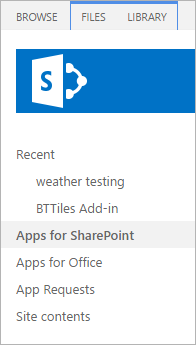
On the left pane, click on Apps for SharePoint;
-
Select the older package of the Web Part deployed, click at the option Files, in ribbon, and click to Delete Document;
And that's it! The web part is now Uninstalled and Removed from your SharePoint site.